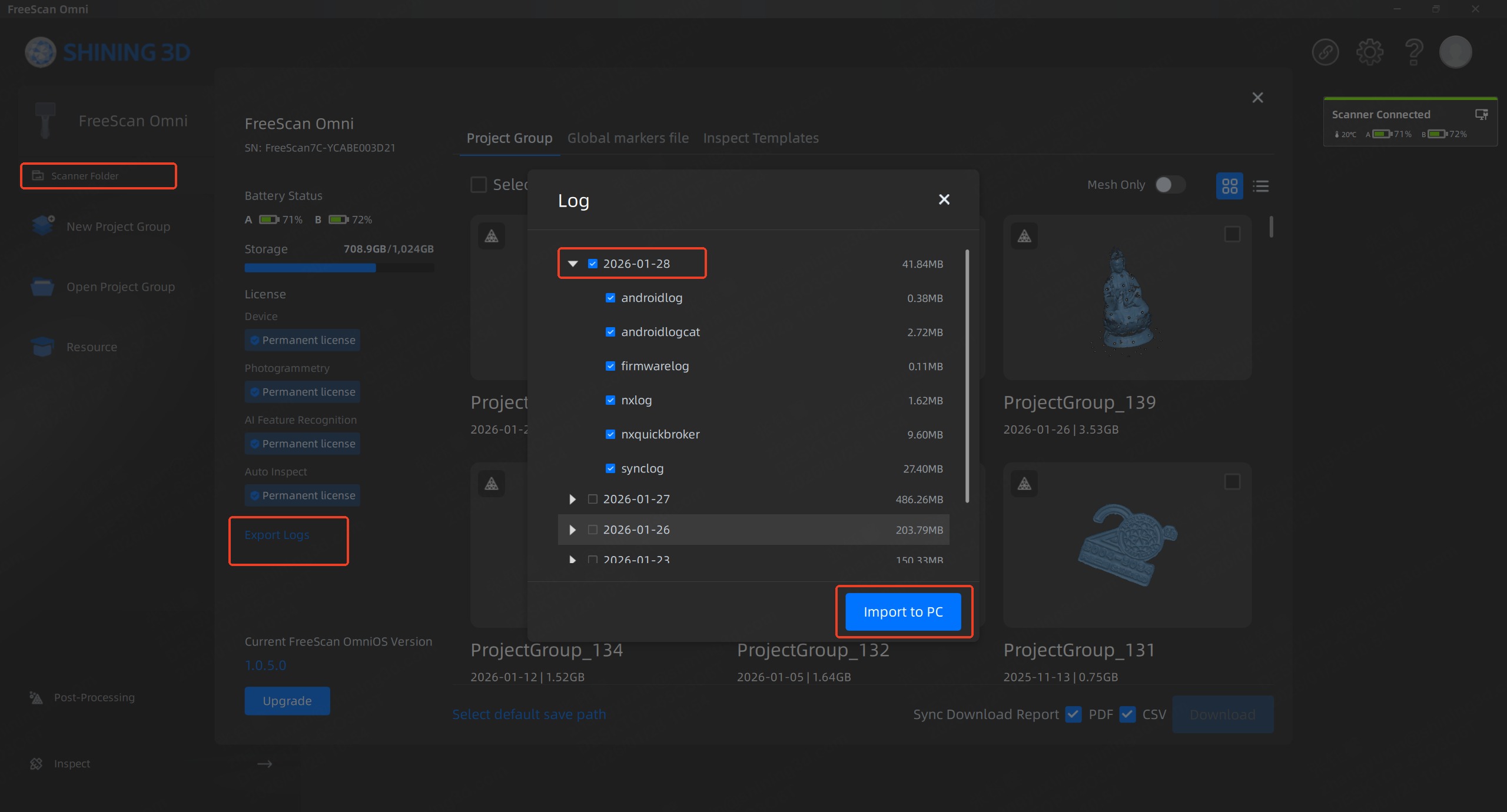
To retrieve the device log files, please refer to the instructions below:
- Connect the FreeScan Omni to the computer via a wired connection or hub.
- Launch the FreeScan software and establish the connection to the scanner.
- Open the Scanner Folder > Export Logs
- Select the date of the reported error > Import to PC
- Finally, rename the folder with the serial number of the scanner and send it to us.