
Users may experience Omni Lite displaying incorrect license information for optional modules.
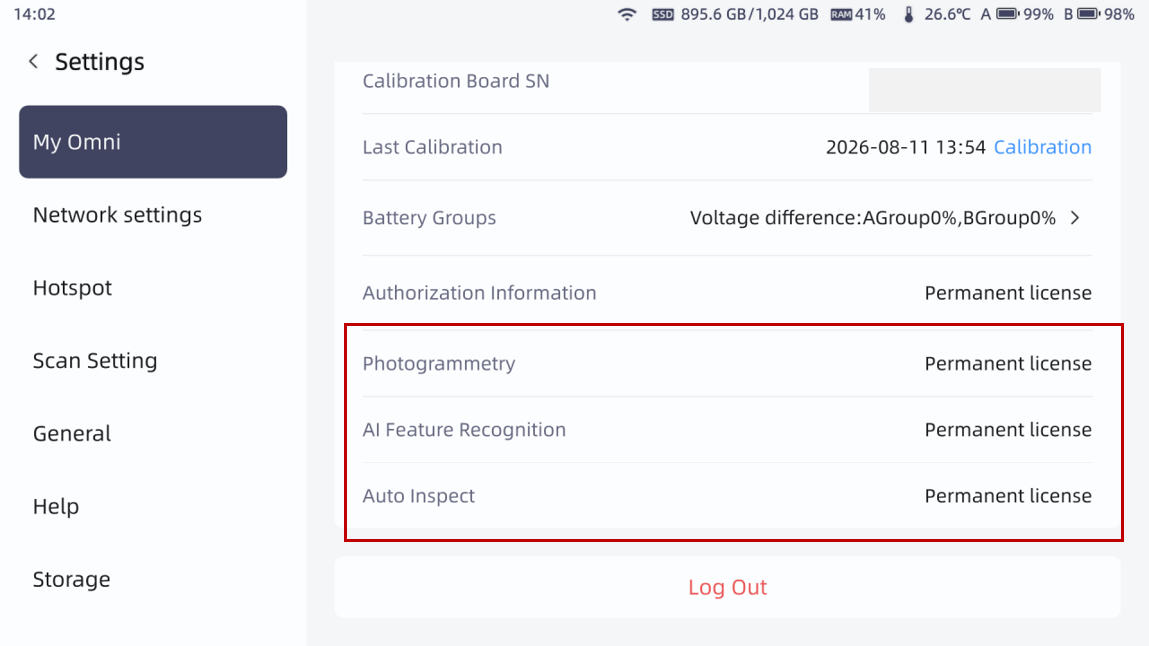
To restore the appropriate license status display and proceed correct modular scanning & inspection, re-connection to PC is necessary.
Step 1 Connect Scanner & PC
Connect scanner and PC via docking station / Ethernet or Type-C.
Open FreeScan software (make sure version compatible).
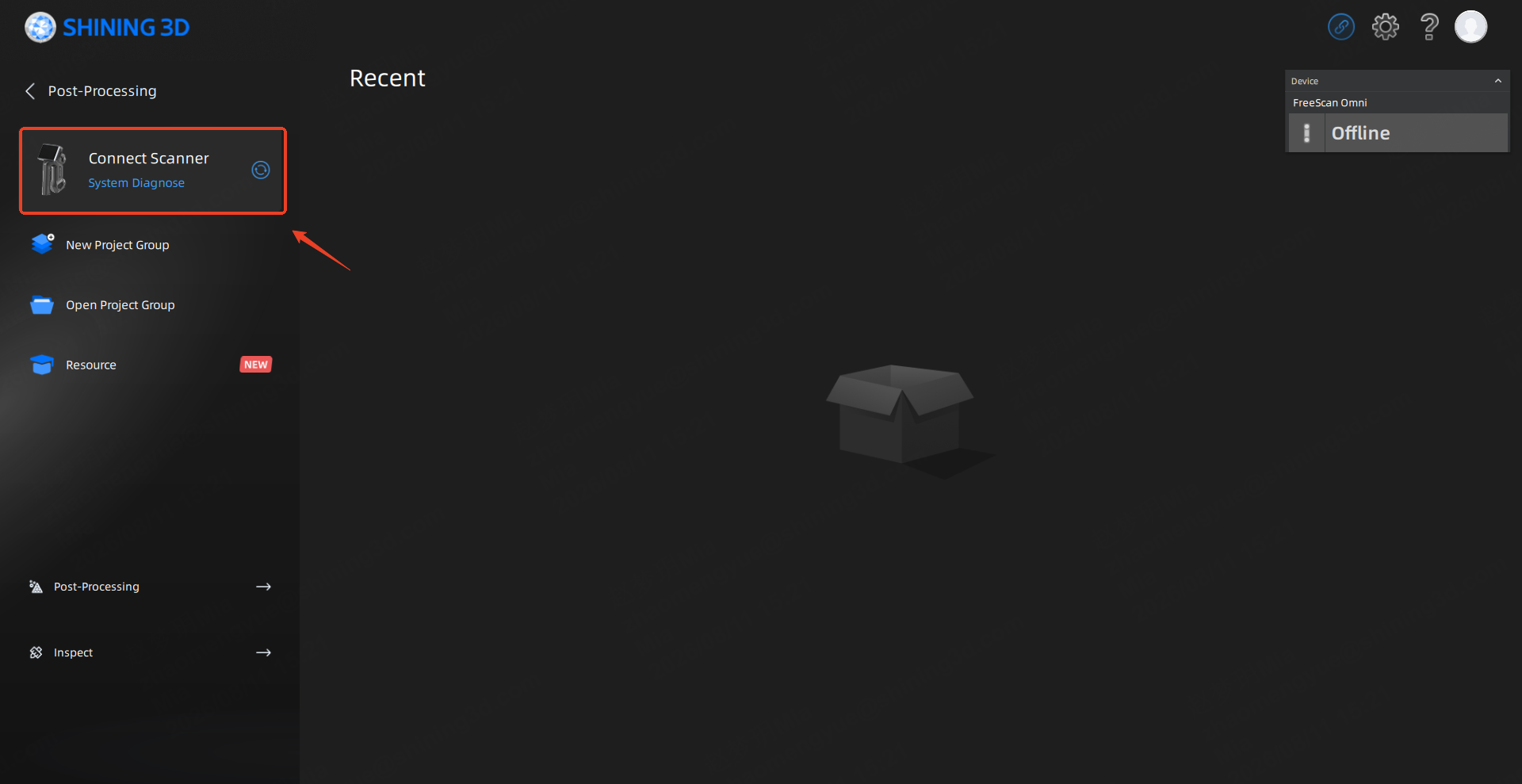
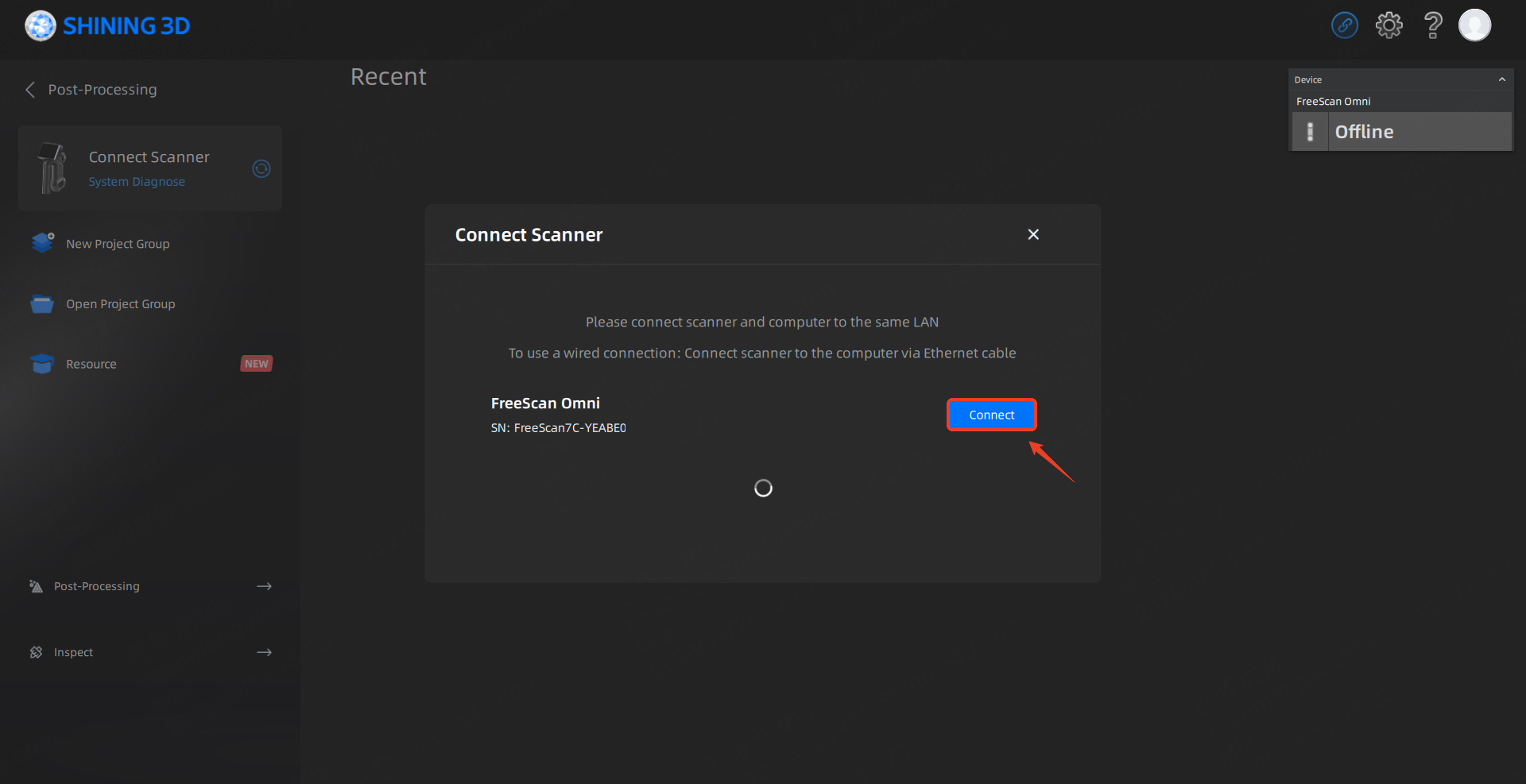
Step 2 Re-Sync PC & Scanner
Accept connection request on the scanner.
Open Transfer tab and check the license information status update.
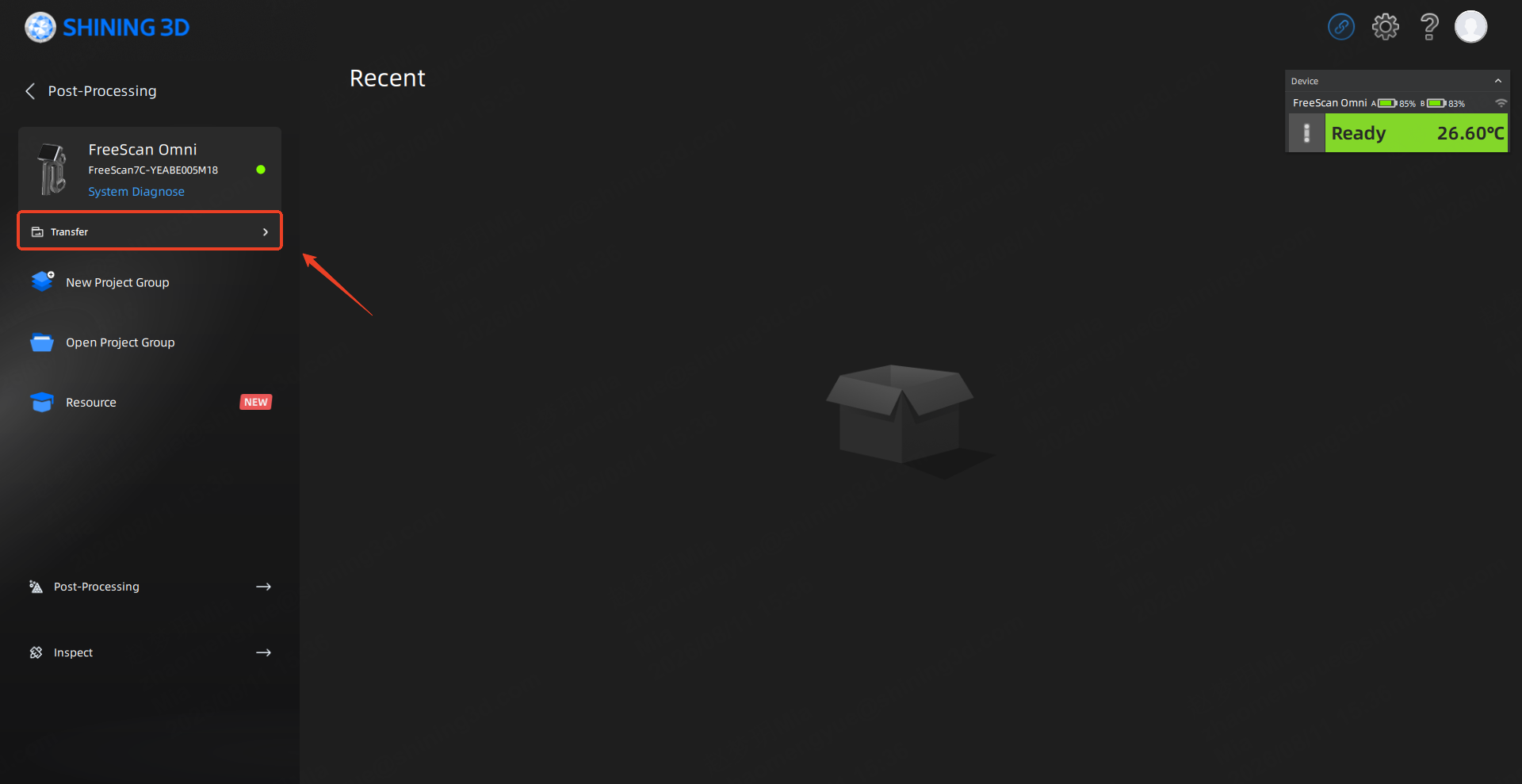
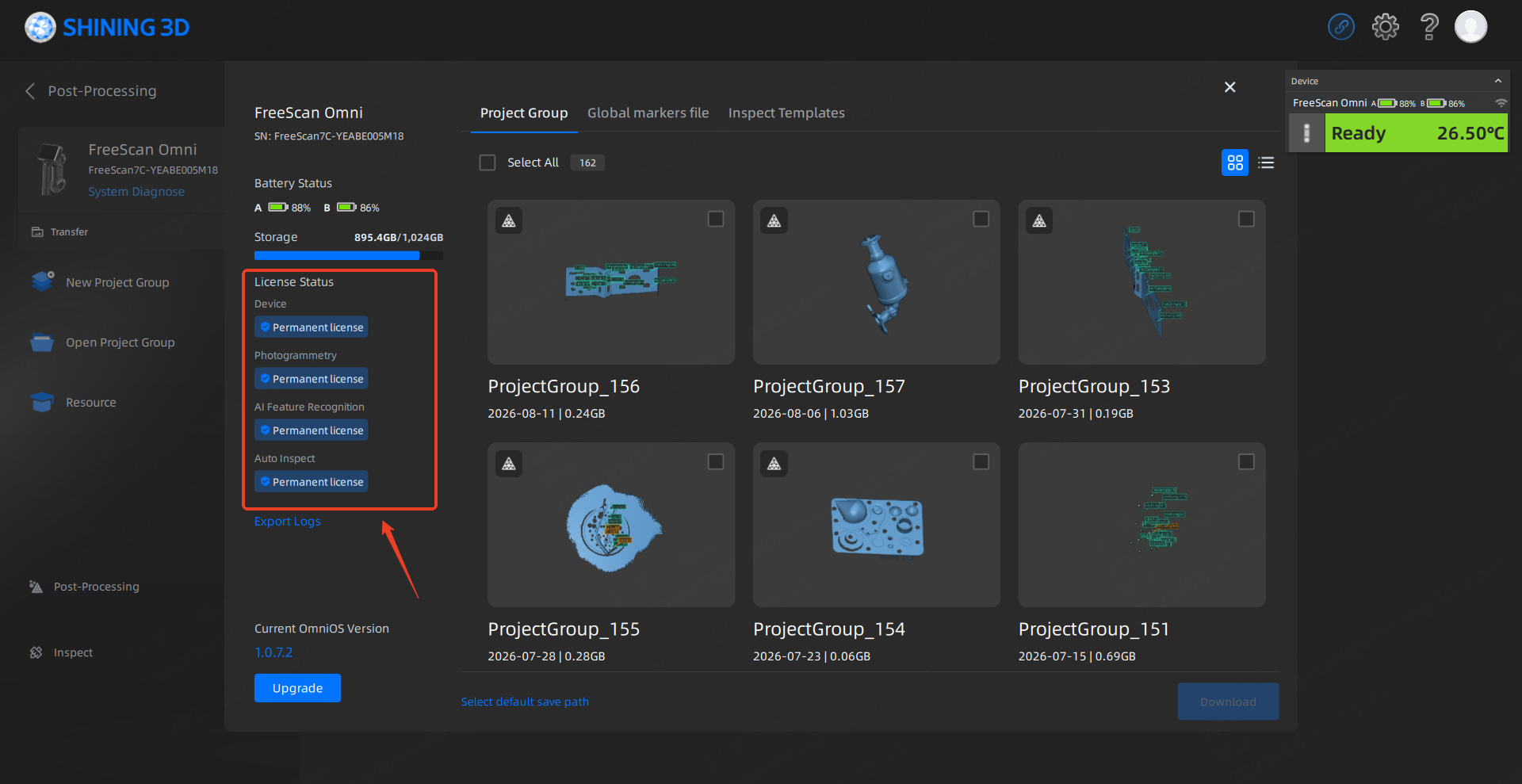
*Note: Your license status is consistant with your purchase information;
If you need further assistance, please feel free to contact us at metrology_support@shining3d.comand we will get back to you as soon as possible.